
EFFECT GUIDE · TWO PEOPLE
Alors on Danse AI: cast two friends in the studio duet
Alors on Danse AI is a two-role studio bit rather than a dance-floor clip. One person picks out notes on a small keyboard while the other works an open laptop right beside them, and a few seconds in both of them give up on looking serious and start dancing.
The effect starts from two portraits, one per performer, and stages them in a clean white studio. Role order matters: whoever is in the first photo gets the keyboard, whoever is in the second gets the laptop.
Watch the real example- Cast
- Two adults, one photo each
- Setting
- Seamless white studio
- Length
- 10 seconds
- Formats
- 16:9 and 9:16
- On Hotel Lobby
- Guide and real exampleGeneration for this effect is not open here yet.
REAL OUTPUT
One pair of portraits, two framings
The same two fictional portraits were rendered once for widescreen and once for vertical feeds. Compare how the studio is reframed while each person keeps their role.
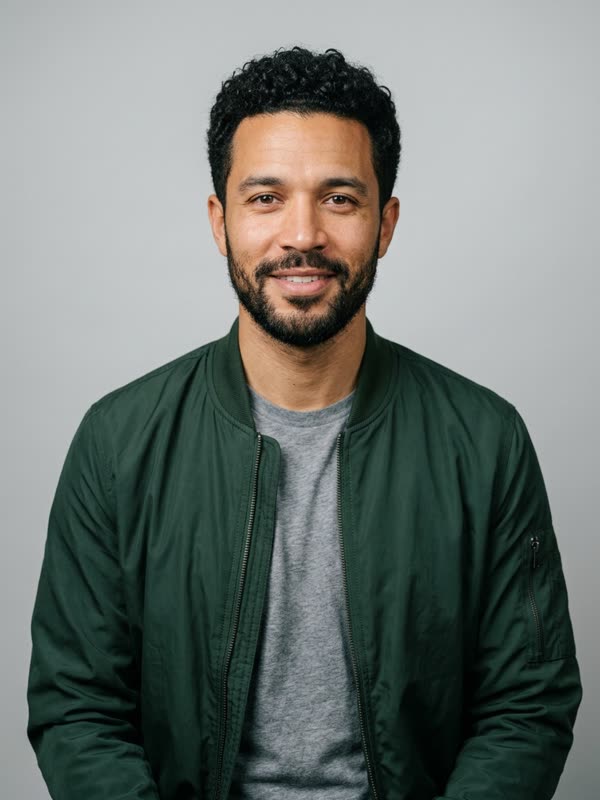
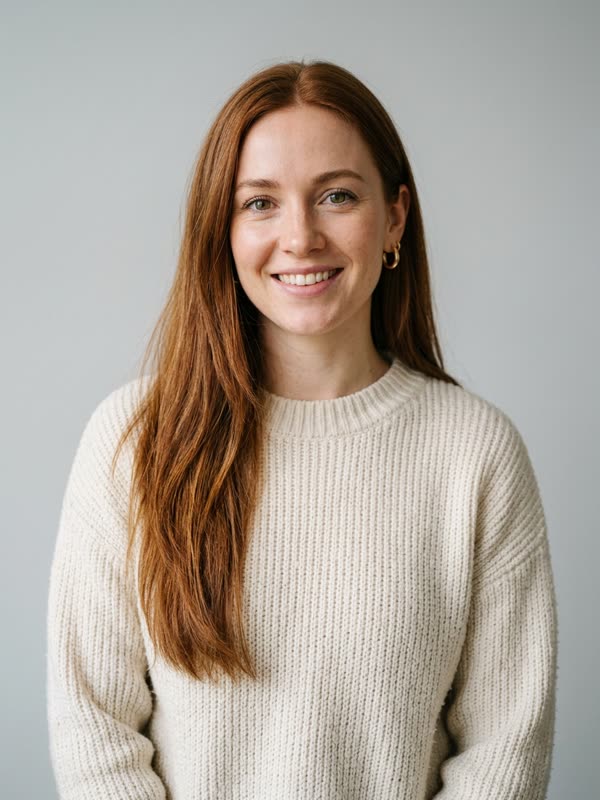
Both portraits are AI-generated fictional adults. Their movements follow a short reference performance, and each example still carries the audio of that reference. Nobody has cleared that music for your own posts, so pick a sound you are licensed to use when you share a version.
WHO PLAYS WHAT
Two roles, decided by photo order
Swapping the uploads swaps the parts, so decide who gets the punchline before you start.
- Keyboard player (photo 1)
- Stands on the left and presses one key at a time with total concentration. Pick the friend with the best poker face.
- Laptop partner (photo 2)
- Stands shoulder to shoulder with the keyboard player at an open laptop, then throws an arm in the air once the beat kicks in. This part reads best with someone expressive.
- The room
- A plain white studio keeps attention on the two faces and works for both landscape and vertical crops.
HOW IT WORKS
Getting a good Alors on Danse AI result
- 01
Shoot from the waist up
Hands and shoulders need to be in frame so the keyboard and laptop gestures have something to attach to.
- 02
Match the lighting
Two portraits taken in similar daylight blend into the white studio more convincingly than one flash photo and one night shot.
- 03
Choose the crop for the platform
Use 16:9 for YouTube or a group chat, 9:16 for Reels and TikTok. The roles stay the same either way.
FAQ
Alors on Danse AI questions
Does the Alors on Danse AI effect include the song?
The two examples here keep the audio of the reference performance they were built from. Treat it as a preview: for anything you publish, choose a track you have the right to use on that platform.
Can I make Alors on Danse AI videos on Hotel Lobby?
Not yet. This page documents the effect with a real example; Hotel Lobby credits currently create the Hotel Lobby duet only.
What if both people are in one photo?
The effect expects two separate portraits, one person in each. Crop a group photo into two images only if each crop shows a full, unobstructed face.
Is this connected to Stromae or Jamel Debbouze?
No. It is an independent AI interpretation of a popular format, and the people shown here are fictional.
KEEP EXPLORING
Other effects to try
 Gas Station Dance AI
 Ghost Filter Prank
Ready to star in a video today?
Alors on Danse AI is a guide on Hotel Lobby for now. The generator that is live here is the Hotel Lobby duet: two photos, one orange booth.
Open the Hotel Lobby generatorThis duet guide is written independently. Stromae, Jamel Debbouze, their labels and producers have no connection to it and have not endorsed it. Feature only adults who agreed to appear.